These latest product updates for Intellistack Streamline focus on giving admins finer control over access, keeping complex approval workflows connected, making user sessions easier to track, and moving users smoothly between systems. Whether you're managing who can do what in Intellistack Streamline, routing approvals by deal size, following up with the right person, or handing users off to the next step in a process, these features help you build repeatable workflows with less manual work.
Reminder: subscribe to receive release notes as soon as they are published. Simply click on “Follow” in the new release notes section of the Formstack Help Center and Intellistack Streamline Help Center.
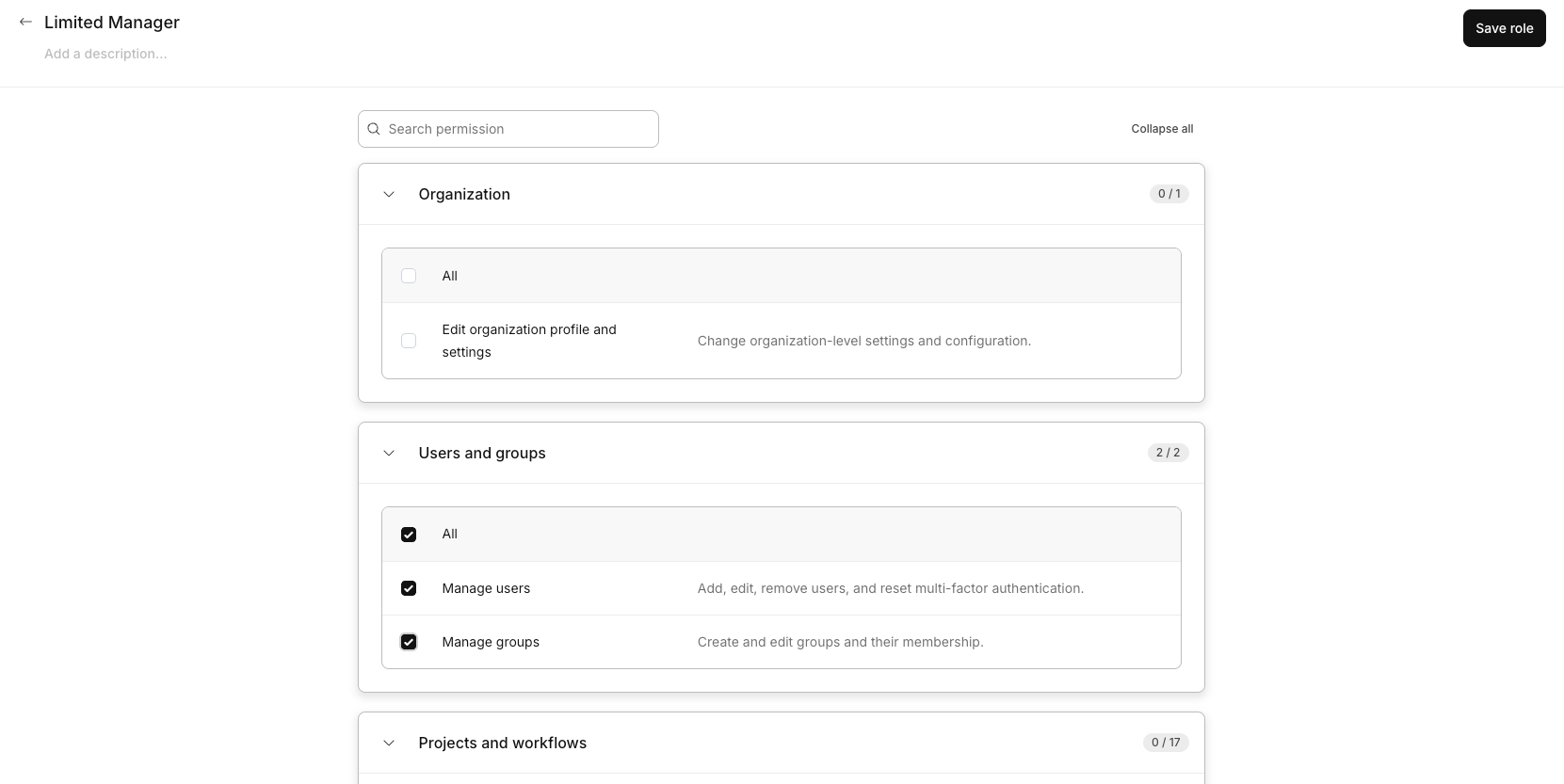
Custom Roles: define access that fits how your org actually works
Intellistack Streamline now supports Custom Roles, so admins can build named roles from the platform's existing permissions instead of choosing from four fixed presets. Match access to how your team actually works, whether that's an intake specialist who captures data but can't edit workflows or a brand manager who handles domains but not account security. Duplicate an existing role to start, or build one from scratch, and assign it to as many users as you need.
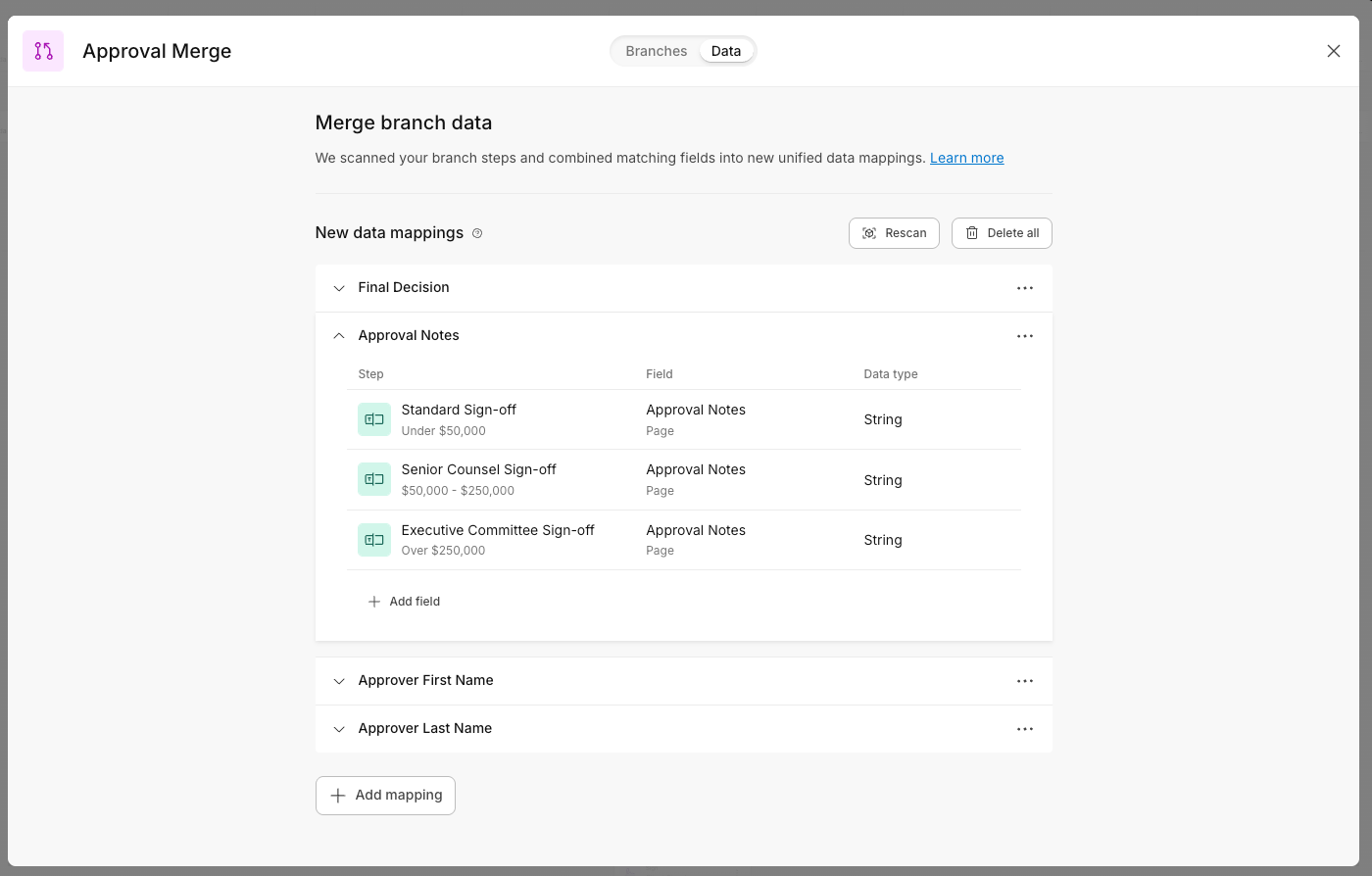
Bring approval paths back together with Merge Routing
Workflows that branch by deal value, region, or risk level often end up duplicating the same steps across every branch. With Merge Routing in Intellistack Streamline, separate approval paths can reconnect into one shared workflow. Configure the steps that happen after approval, like preparing documents, collecting signatures, or sending notifications, once, and every branch that merges into it uses that same shared sequence.
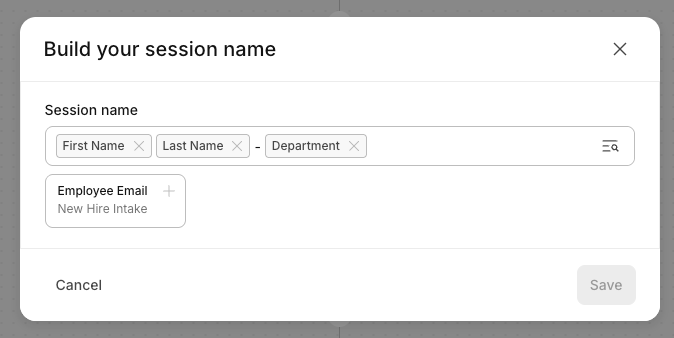
Easily and securely identify workflow sessions by user
The new Session Identifier lets you label workflow sessions using the data that matters, such as an employee's name, email address, or department, instead of relying only on a system generated ID.
Session names stay masked by default and only appear for users with View data permission on that project. When someone does reveal a session name, Streamline logs the user, timestamp, and affected session, so teams get useful context without giving up control over sensitive data.
Redirect users automatically with Outbound Webhooks
Outbound Webhooks in Intellistack Streamline now let builders redirect users to a next destination after a webhook step runs. Send someone straight into a new Intellistack Streamline session, route them to an external page to complete a payment, or hand them off to any corporate website to finish the journey.
The handoff happens automatically, so processes keep moving without users having to find the next step on their own.
July 2026 Release Notes
Continue exploring this month’s updates for Formstack products and Intellistack Streamline by reading the full release notes below. You can also view full release notes from previous months in the release notes section of the Formstack Help Center and Intellistack Streamline Help Center.